
Architects have always built models to test ideas and win people over. 3D printing architectural models makes them faster to produce and far easier to change. Whether you want to print your own house at home or bring model making into your studio, this guide covers why it works, how to prepare a file so it prints cleanly, and which filament suits which part of the model.
What Printing Changes for Model Makers
Test Before You Build
A scale model shows things a screen hides. You walk around it, look at it from eye level and see how volumes relate to each other. Printing lets you do that early and often, before a single brick is laid.
The Printer Works While You Don't
Start a print in the evening and the model is ready in the morning. Not quite right? Adjust the file and print again. A changed design is a changed file, not a rebuilt model, which is a big shift from hours of cutting and gluing by hand.
Precise Results
With the right filament and settings, printed parts come out consistent and true to the file. Print the same element ten times and you get ten matching copies, handy for repeating façade elements, columns or window units.
Curves Cost Nothing Extra
A curved façade or an organic roof is hard work in card or wood. For a printer, it is as easy as a box. That frees you to model the shape you actually designed rather than the shape that is easiest to build.
Details Built In
Surface textures, window frames and even channels for LED lighting can be part of the model itself. No extra parts to cut, no wiring that has to be hidden afterwards.
Print the Tricky Bits, Cut the Rest
You don't have to print everything. Many model makers take a hybrid approach: they print the complex parts like stairs, trees and curved elements, and cut flat parts such as walls and base plates from card or wood. Use the method that is fastest for each part.
Types of Models and What Each One Needs
Massing and Site Models
At scales like 1:500 or 1:1000, buildings are mostly closed volumes that show size, height and position on the site. They print quickly, and since nobody needs to see inside, a low infill is typically enough.
Because they print overnight, you can produce several massing variants at once and compare them side by side at the next design review. Site models can also include the terrain and neighbouring buildings, so you see the design in its context rather than in isolation.
Presentation Models
These are larger and more detailed, made to impress a client, a jury or an investor. They usually don't fit on one build plate, so you split them into sections. Surface finish matters most here, which makes your choice of filament and post-processing more important.
Interior and Daylight Studies
Here you want to look inside: at room layouts, circulation and how light falls through windows. That only works if the 3D model is built that way. The file needs real walls and open rooms, with a removable roof or floors printed as separate parts so you can lift them off.
Section models, cut through the building like a drawing, are another way to show what’s inside: rooms, floor heights and how spaces connect.
GOOD TO KNOW
Whether rooms are visible depends on the 3D model, not on the infill setting. Infill only fills the solid parts of a print, like thick walls, floor slabs or the base plate. If your file shows a building as one closed block, the slicer will print a closed block, whatever infill you set.
Façade and Detail Studies
To check proportions, window reveals and surface depth, print just a section of the building at a larger scale such as 1:50. You see far more of the design than in a small model of the whole building, at a fraction of the print time.
Preparing Your File So It Prints Well
Scale First, Then Thicken
CAD models are drawn at 1:1. Scale a building down to 1:200 and a real wall, window frame, railing or door becomes a sliver too thin to print, or so thin it breaks the moment you touch it. After scaling, check every slim element and thicken it where needed. The model should read correctly, not match the real dimensions to the micrometre.
Simplify
Remove anything that won't print or won't be seen at model scale: ducts, HVAC equipment, double glazing, internal fixings. Less geometry means fewer print errors and a cleaner result.
Choose a Friendly Source File
Surface modelling tools like SketchUp or Rhino often produce files that are easier to prepare for printing than BIM exports from Revit or ArchiCAD. BIM models carry a lot of layered information that you will need to strip out or repair before slicing.
FOR STUDIOS
If printing becomes part of your workflow, set up a print-ready version of your model early, with simplified geometry and minimum wall thicknesses for your usual scales. It saves you repeating the same clean-up for every iteration.
Split Smart
Split a model when it is larger than your build plate or when you need access to the interior. Place the seams along edges and floor lines that already exist in the building so they disappear visually. Then add alignment pins or keys so the parts line up exactly.
Don't skip that last step. One documented office project left out the alignment features, and the base pieces did not fit together when the model was assembled.
Printing Tips that Save You a Reprint
Thin roofs and large flat parts can warp as they cool, lifting at the corners. Fine window frames and railings can snap when you remove supports. Two things help most: making those parts slightly thicker and thinking about orientation on the build plate.
Orientation is often a trade-off. Printing a roof upright instead of flat can stop it warping, but it takes longer to print. For a model you only need once, a quicker print may be fine. For a presentation model, the extra hours are usually worth it.
PRO TIP
Print a small test section of the most delicate part first, like a window band or a stair. If it survives support removal, the full model will too. Plenty of model makers run these tests overnight, so the real print can start the next morning.
On infill, keep it simple: closed massing models typically need only low infill, since the inside is never seen and the shell does the work. Exact values depend on your printer and the part, so start from your slicer's defaults and adjust from there.
Finishing
Light sanding and a coat of paint hide layer lines and give the model a uniform surface. A matte filament reduces the need for this from the start, because a flat surface shows fewer lines than a shiny one.
Paint can also tell a story. One office painted the exterior of its model and left the interior white, so the inside stood out and drew attention to the room layout.
For assembly, superglue or another adhesive suited to your material joins the parts. Work in sections and let each joint set before adding the next one.
Which Extrudr Filament for Which Job
Exact print parameters vary by printer. Please check the product pages for recommended settings for each filament.
| FILAMENT | BEST FOR | WHY |
| PLA NX2 MATT | Buildings, massing models, presentation models | Clean matte finish with no shine, the classic white model look. Easy to handle and easy to finish. |
| XPETG MATT | Slim columns, railings, fine structural elements | Tougher than PLA, so slim parts are less likely to snap. Also handles heat better. Matt White and other colours. |
| DuraPro ABS | Models that live in direct sunlight and heat | Holds its shape where PLA could soften. Long used for architectural models. |
| WOOD | Terrain, trees, timber façades, material studies | Contains spruce fibres and has a wood look and feel. Made from 100% renewable raw materials. |
PLA NX2 MATT: the Default for Buildings
If you only buy one spool for architectural models, make it white PLA NX2 Matt. The matte surface gives you that clean, understated look model makers like, without the shine that makes layer lines stand out. It is easy to print, so it is a safe starting point for hobbyists and studios alike.
XPETG MATT: for the Parts that Break
Slim columns and railings are usually the first thing to snap, either when removing supports or when the model gets handled. xPETG Matt is the tougher option for these elements and stays matte, so it still matches a PLA NX2 Matt building.
DuraPro ABS: for Warm Places
A model on a sunny windowsill or in a warm shop window can soften and sag if it is printed in a material that can't take the heat. DuraPro ABS is temperature-resistant up to 90 °C, according to the product page. For larger parts, a closed build space is recommended.
WOOD: for Landscape and Timber
Terrain, trees and timber façades look and feel convincing in WOOD, which contains real spruce fibres. It is also a good choice for material studies, where you want to show what a timber building will feel like rather than just its shape.
Mix Materials
The best models often combine filaments. Print the terrain and trees in WOOD and the buildings in PLA NX2 Matt, and the model reads instantly: natural landscape, built form on top.
ABS OR ASA?
DuraPro ASA handles much like ABS but is built for high UV and weather resistance. That makes it the better upgrade for a model that sits in a sunny display window for months. It also has a matte surface.
FOR STUDIOS
Working towards more sustainable materials? GreenTEC Pro is made from 100% renewable and natural raw materials and gives models a high-quality, semi-matte surface.
How We Printed Our Own HQ
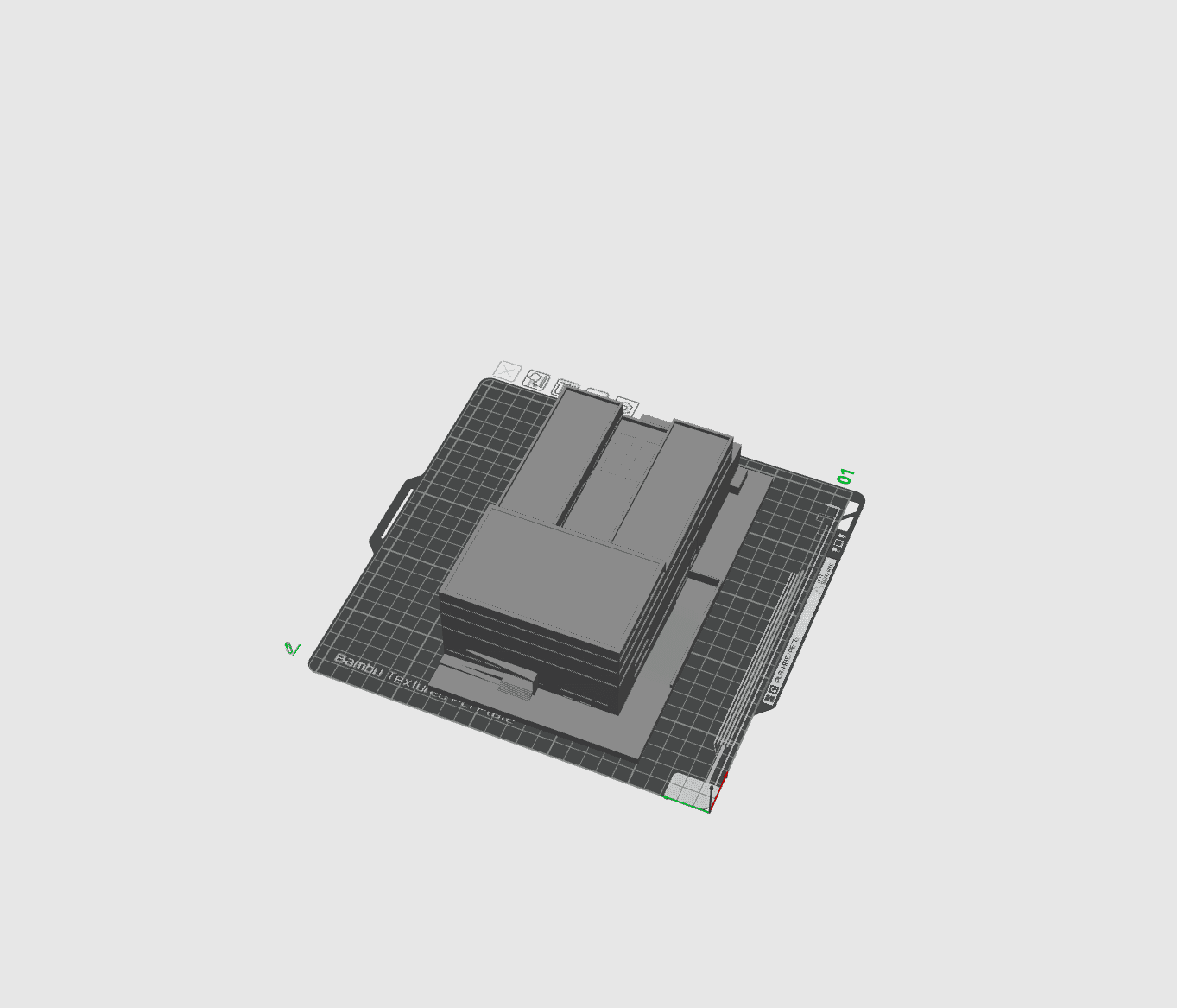
To put this guide into practice, we printed a model of the extrudr headquarters.
Your Turn
Architectural models are one of the most rewarding things to print: you see a design take shape on your desk overnight, and every revision is just one more print away. Start with a simple massing model, get a feel for wall thicknesses at your scale, and work your way up to sections, interiors and mixed materials.
SHOW US YOUR MODELS
Printed a house, a building or a whole landscape? Tag us with your model prints and tell us which filament you used. And if you are not sure which material suits your next model, take a look at our filaments for architecture.